

Most PCB designers obsess over signal routing and layer stackups. But land patterns? They get copied from a library and forgotten. That’s a mistake that costs real money.
A land pattern is simply the copper pad layout where your component sits. Get it wrong by even 0.1mm, and you’ll see solder bridges, lifted components, and cold joints across your entire production run. These aren’t theoretical problems, they’re the reason your PCB manufacturer calls, saying half the batch failed inspection.
This blog will discuss how land pattern errors create assembly defects. Whether you’re a designer, working with a custom PCB manufacturer, or running assembly operations, you’ll learn which mistakes cause which problems and how to prevent them.
What Land Patterns Actually Do
A land pattern positions copper pads exactly where component leads, or balls, need to connect. Think of it as the target for solder joints.
During PCB assembly in the USA, solder paste gets printed onto these pads through a stencil. Pick and place machines drop components on top. Then reflow ovens melt everything together.
The land pattern controls three things: how much solder ends up in each joint, whether components stay aligned during reflow, and whether the connection will last years or fail in months.
Here’s why land patterns slip through design reviews. Your electrical checks pass. Clearances look fine. But during reflow, physics takes over. Molten solder follows surface tension, not your schematic. Components shift toward wherever the solder mass pulls them.

How Bad Land Patterns Create Defects
The chain reaction starts in your CAD tool. You grab a footprint from a library without checking dimensions against the datasheet. Or you adjust pad sizes without understanding reflow dynamics.
Fast forward to assembly. Solder paste volume doesn’t match the pad area. Components sit at slight angles. During reflow, everything melts, and solder redistributes according to physics, not your design intent.
What looked perfect on screen becomes a defect under inspection. And these common PCB design errors repeat across every board in the batch.
Defect #1: Solder Bridges Between Pads
Put pads too close together and solder bridges between them during reflow. This creates shorts that kill your circuit.
Fine-pitch ICs suffer most. A chip with 0.5mm pin spacing needs exact pad dimensions. Make pads even 0.05mm too wide, and adjacent pins bridge together. The molten solder can’t stay separated, surface tension pulls it into one blob connecting both pads.
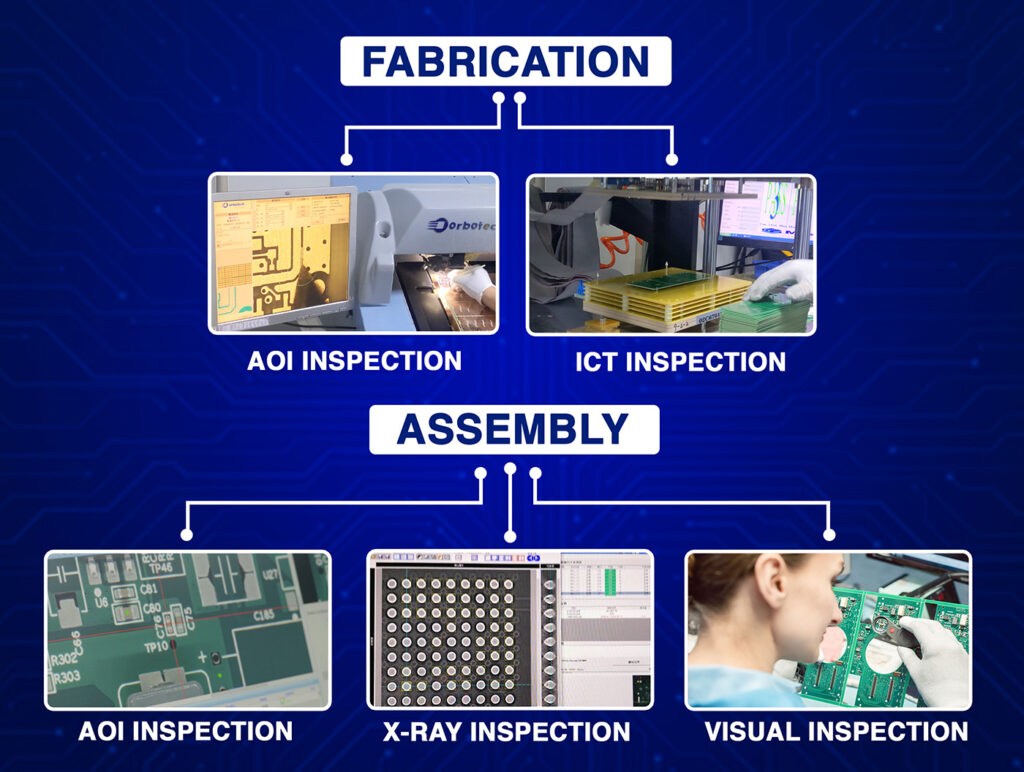
Your automated inspection catches noticeable bridges. But marginal ones slip through and fail after thermal cycling in the field.

Defect #2: Tombstoning on Small Parts
Tombstoning happens when one end of a component stands up during reflow like a tiny gravestone. It’s caused by unbalanced pad geometry.
If one pad is even slightly larger than the other, it holds more solder paste. During reflow, that extra solder creates stronger surface tension and pulls harder. The component tips vertical before the smaller pad fully melts.
Chip resistors and capacitors tombstone constantly when pads aren’t perfectly symmetrical. This soldering issue in PCB assembly is maddeningly random, some boards are fine, others have dozens of lifted parts.

Defect #3: Weak Joints from Small Pads
Undersized pads create solder joints that look okay but fail early. There’s not enough copper area for proper wetting, so the solder ball forms smaller than needed.
These joints pass visual inspection because they exist, they’re just inadequate. Put the board through thermal cycling or vibration testing, and they crack. Ship the product, and it fails in the customer’s hands after a few months.
This is one of those common PCB design errors that’s dangerous precisely because it’s hard to catch during manufacturing.

Defect #4: Solder Balls from Oversized Pads
Make pads too large, and excess solder pools around components. This creates solder balls, tiny spheres that break free and roll around your board, causing random shorts.
Some designers make pads 30% larger than datasheets recommend, thinking bigger is safer. During reflow, that extra copper holds extra solder that balls up at pad edges instead of forming proper fillets.
Passive components see this constantly. Those solder balls hide under parts that inspection can’t see until they cause mysterious failures later.

Defect #5: Component Shifts and Rotation
Incorrect pad spacing makes components shift during reflow. Even if placement is perfect, molten solder pulls parts toward wherever the copper mass centers.
A 0.2mm center-to-center spacing error causes visible skew after reflow. Connectors won’t mate properly. Fine-pitch IC leads miss their pads entirely.
Pick and place machines place within about 0.05mm accuracy. Your land pattern needs a margin for this placement tolerance. Tight pad spacing with no wiggle room guarantees alignment problems.

Defect #6: Voids Under Thermal Pads
QFN packages and power components have large thermal pads underneath. Use a solid copper pad, and you trap flux and gases during reflow. These create voids, empty spaces in the solder joint.
Voids wreck thermal performance. Your power MOSFET can’t transfer heat to the board properly. It runs 20°C hotter than designed and fails early.
The fix is simple but often missed. Segment the thermal pad with solder mask-defined openings so gases escape during reflow. Any experienced custom PCB manufacturer knows this, but designers copying footprints blindly miss it.
Defect #7: Head-in-Pillow Failures
Head-in-pillow defects happen when component solder balls and pad solder paste touch but don’t actually fuse. They make contact without truly wetting into one joint.
This creates high-resistance connections that test okay initially but degrade under thermal stress. BGAs develop head-in-pillow defects when the pad geometry doesn’t match the ball size properly.
The solder paste slumps during preheat before the ball contacts it. They meet, but surface oxides prevent fusion. These soldering issues in PCB assemblies are challenging to detect without X-ray inspection.
Getting Land Patterns Right
Match pad dimensions to your actual assembly process, not just datasheets. Your PCB manufacturer’s stencil thickness, paste type, and reflow profile all affect optimal pad size.
For chip components, keep pads symmetrical within 0.02mm to prevent tombstoning. For QFNs, always segment thermal pads. For BGAs, use non-solder-mask-defined pads sized 20% smaller than ball diameter.
Validate critical footprints before production. Build test boards. X-ray the joints. Cross-section samples to verify solder wetting and measure void percentages.
Most importantly, talk to your pcb assembly USA team during design. They know their process limits and can suggest pad adjustments that improve yield dramatically.
IPC Standards Aren’t Magic
IPC-7351 provides standardized land patterns, but many designers misuse them. The standard offers three density levels, least, nominal, and most, for different reliability needs and assembly capabilities.
Grabbing “nominal” without considering your specific process causes problems. One facility might need larger pads for an acceptable yield. Another handles tighter geometries easily.
The standard is a starting point, not a guaranteed solution. You still need to validate footprints against real assembly conditions.
Quick Verification Steps
Before releasing designs, check that pad sizes match component datasheet recommendations exactly. Verify spacing provides clearance for your assembly process tolerances. Confirm symmetry on discrete components. Make sure thermal pads use proper segmentation.
For critical components, have your custom PCB manufacturer review footprints during design, not after you’ve routed the whole board. If you’d like support on your next project, reach out: sales@blindburiedcircuits.com
The Real Cost
Land pattern mistakes cost way more than people realize. A solder bridge on one pad might seem minor. But multiply that across 500 boards in a production run. Now you’re hand-reworking thousands of joints or scrapping entire batches.
The frustrating part? Almost every land pattern defect is entirely preventable. Following datasheets, understanding reflow physics, and collaborating with your assembly team eliminates most problems.
Those seemingly insignificant pad dimensions create massive consequences during manufacturing. Treat land patterns with the same care you give routing and stackup. Your yield rates will thank you.
FAQs
How much do incorrect land patterns actually hurt PCB yield?
Bad land patterns can drop assembly yields from 98% to below 85%, turning profitable runs into money losers through rework costs and scrapped boards.
Should I adjust land patterns for lead-free solder?
Yes, lead-free solder has higher surface tension and different wetting characteristics, requiring slightly different pad geometries than leaded solder for reliable joints.
Can I always trust component library footprints?
No, many library footprints are outdated or use conservative IPC patterns that don’t match modern assembly processes, causing common PCB design errors.
What’s the hardest land pattern defect to catch?
Head-in-pillow defects and small voids pass visual inspection and basic electrical testing but fail during thermal cycling or long-term reliability testing.
When should I involve my PCB manufacturer in land pattern design?
During initial design, before finalising footprints, their input on stencil capabilities, paste types, and reflow profiles prevents expensive redesigns and improves first-pass yield significantly.