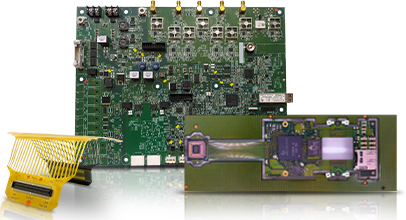


You want your boards to work the first time. Everyone does. But many PCB assembly failures come from small design mistakes that stay hidden until the board hits production. Blind Buried Circuits has seen these issues often, and the truth is that most failures start long before a soldering iron touches the board. They start during design.
When there is a mistake/problem during the DFA file the customer may have to pay for this later as well as customer may face delays, scrap, re-routing, and long hours to figure out where they exactly went wrong.The good news is that you can prevent most of these failures with more precise planning, good habits, and better use of PCB DRC guidelines.
Let’s break it down step by step.
The Real Cost of PCB Assembly Failures
When a board fails in assembly, you lose more than a single unit. You lose time because the entire batch pauses. You lose money because rework costs more than building a board correctly the first time. You lose confidence because every failed build makes your next decision harder.

Why most issues start at the design stage
Most problems happen because something looked correct on the screen but didn’t hold up in real production. Maybe the pads were too small. Maybe Vias sat in the wrong place. Maybe components were squeezed closer than the assembly machines could handle. What looks fine in software may not survive the real workflow of a PCB assembly company.
How early planning prevents delays and scrap
Early checks help you avoid all this. If you follow PCB DRC guidelines from the start, you catch spacing issues, pad problems, clearance mistakes, and thermal concerns before they ruin an entire run. Your goal is simple. Make the design clear enough that any Custom PCB manufacturing team can build it without confusion.
Poor Component Placement in PCB Assembly
Incorrect spacing between components
Crowding parts makes assembly harder. Machines need room to pick and place each piece. If parts sit too close, the machine may hit them or place them crooked. You want enough space around each part so you avoid solder bridges and shadowing.
Placing sensitive parts near noisy circuits
Put quiet parts next to quiet areas. Put noisy parts next to noisy areas. When you mix them, signals drift, and you get unstable readings. Sensitive sensors, oscillators, and analog parts must stay away from switching regulators and high-speed traces.
Ignoring pick and place tolerances
Assembly machines are accurate, but not perfect. If your layout leaves no margin for placement, tilt, or slight movement, you get misaligned parts. Always design with actual pick and place limits from your PCB assembly company.
Misaligned polarity and orientation
This one causes countless failures. A rotated diode, capacitor, or IC can damage a whole board. Make polarity marks clear. Make them large enough to notice. Never assume the assembler will guess.

Faulty Footprint and Land Pattern Design
Using footprints that don’t match specs
If the footprint doesn’t match the real part, the part won’t sit flat. Always compare the datasheet with your EDA footprint.
Incorrect pad sizes are causing tombstoning or cold joints
Pads that are too small or uneven heat up at different rates. That pulls the part off the board, causing tombstoning. Even pad sizes and shapes are key here.
Overlapping or crowded pad layouts
Crowded pads make soldering unpredictable. Pads must have enough clearance to let solder flow without shorting.
Incorrect solder mask openings
Too wide and you get bridging. Too tight and you get insufficient solder. Follow PCB DRC guidelines for proper mask expansion.

Inadequate Thermal Management
No thermal reliefs on pads
A pad sitting on a solid copper plane absorbs heat. This makes soldering slow and uneven. Thermal reliefs fix this.
Placing heat-sensitive parts near hot zones
Some parts hate heat. Keep them away from regulators, high-power resistors, and power MOSFETs.
Lack of thermal vias under high-power ICs
If your IC generates heat, give it a path to escape. Thermal vias pull heat into the inner layers or the bottom side.
Uneven copper causing warpage
If one side has heavy copper and the other side doesn’t, the board can warp during reflow. Keep copper balanced.

Poor Via Planning
Placing vias on pads without filling
A via on a pad can suck solder away. That causes incomplete joints. Only use filled vias if you must use via-in-pad.
Using vias too close to SMD pads
If a via sits too close, solder may wick into it.
Blind, buried, and microvia misalignment
If you use Blind Buried Circuits or any advanced stackup, alignment matters. Misalignment causes breaks and open circuits.
Via in pad issues causing solder wicking
This creates weak joints and sometimes no joint at all.

Signal Integrity Oversights
Uncontrolled impedance on high-speed traces
High-speed signals need controlled width, spacing, and stackup.
Long return paths due to missing ground planes
A signal needs a return path nearby. If not, it creates noise.
Crosstalk from parallel routing
Long parallel traces act like antennas. Route at angles or separate them.
Skew and mismatch in differential pairs
When lengths don’t match, signals arrive at different times.

Power Delivery and Decoupling Errors
Poor decoupling capacitor placement
Caps must sit close to power pins. Far caps cause noise.
Wrong capacitor values
Use values recommended by the IC manufacturer.
Thin power traces are causing drops
A thin trace can’t carry enough current. It heats up and causes drops.
Missing stitching vias in power planes
Stitching vias helps lower noise and spread current evenly.

Solderability and PCB Surface Issues
Bad surface finish for fine-pitch parts.
Choose a finish that fits your pitch. ENIG works well for small pads.
Oxidation from poor storage
Old boards cause poor wetting.
Poor solder mask clearance
The mask must not overlap the pads.
Incompatible flux and finishes
Check compatibility before production.

Design Rule Violations
Ignoring manufacturer DFM rules
Each PCB assembly company has rules you must follow.
Routing too close to edges
Vibration and panel handling can damage edge traces.
Not respecting copper-to-copper spacing.
This creates shorts or makes the board impossible to fabricate.
Overriding DRC checks
Never ignore DRC errors unless you fully understand them.

Assembly Documentation Gaps
Incomplete BOM
A BOM with missing values creates ordering mistakes.
Missing centroid files
Machines need centroid files for placement.
Ambiguous polarity marks
Your drawings should leave no doubt.
Missing revision control
Teams may build the wrong version.
Testing and Inspection Limits
No test points
Test points make debugging easier.
Hard-to-reach nets
If probes can’t reach them, you can’t test them.
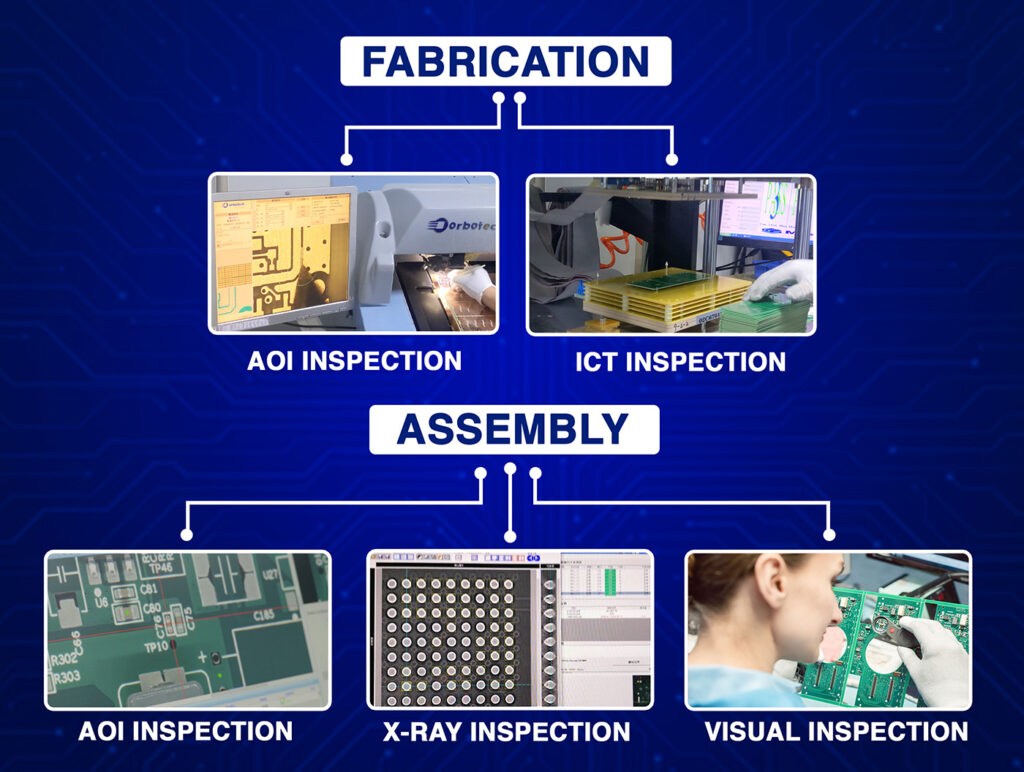
Poor ICT or flying probe planning
Some designs block ICT access.
No AOI or X-ray consideration
Parts must be visible for the machines.
Material and Stackup Mistakes
Wrong material choice
High-speed designs need a proper dielectric.
Mismatched CTE
If the material expands unevenly, joints crack.
Dielectric inconsistencies
This affects impedance and signal timing.
Wrong stackup assumptions
Always confirm the real stackup.
Overlooking Assembly Process Constraints
Not planning for reflow.
Some parts need special profiles.
Mixed-technology issues
If you mix through-hole and SMD parts, plan the sequence.
No thermal symmetry
Symmetry helps the board heat evenly.
Ignoring stencil design needs
Pad openings must match stencil sizes.
Common Failure Modes From Design Errors
- Tombstoning
- Solder bridging
- Open circuits
- Cracked joints
- Component shift
All these problems come from earlier design choices.
How to Prevent These Issues
Early collaboration with manufacturers
Talk to your Custom PCB manufacturing partner early.
Run full DFM and DFA checks
These checks catch most mistakes.
Use simulation tools for SI and PDN
You spot issues before production.
Prototype in small batches
Learn and improve before mass runs.
Conclusion
Good design habits save you money, time, and stress. When you plan well, follow PCB DRC guidelines, and understand how your PCB assembly company works, you avoid failures that appear late in production. Blind Buried Circuits has seen that minor corrections early lead to cleaner builds later. Your takeaway is simple. A careful designer prevents assembly failures long before a board is ever built.
FAQs
1. Why do most PCB assembly failures start at the design stage?
Small layout errors like bad pad sizes or poor spacing turn into major problems during assembly. A pcb assembly company can only work with what you give them, so early design accuracy matters.
2. How do PCB DRC guidelines help prevent manufacturing delays?
DRC checks catch spacing, clearance, and mask issues before the board goes to production. Following them early saves you from scrap, rework, and last-minute surprises.
3. What are the most common placement mistakes that hurt assembly yield?
Crowded parts, unclear polarity marks, and ignoring pick-and-place tolerances cause misalignment. Leaving proper spacing makes your Custom PCB manufacturing team’s job much easier.
4. Why does poor thermal planning cause so many assembly defects?
Missing thermal vias or uneven copper forces heat into the wrong places during reflow. That leads to tombstoning, warpage, and weak solder joints.
5. How can I avoid via-related issues during PCB assembly?
Vias on pads, tight spacing, or misaligned microvias cause open joints and solder wicking. Plan via positions carefully and follow PCB DRC guidelines to keep assembly reliable.